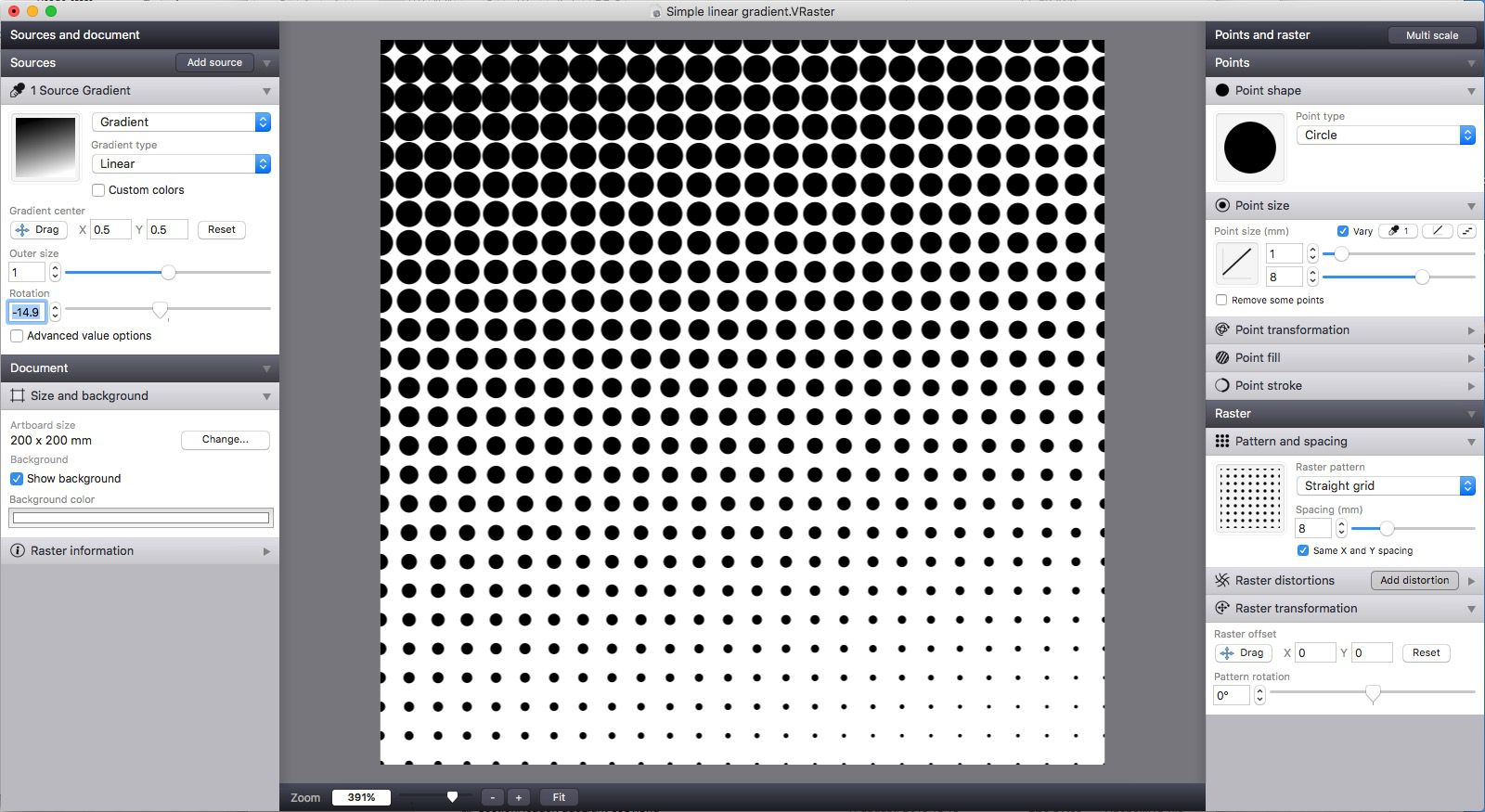
The Vectoraster graphics utility allows you to create different types of patterns and halftones from input images or gradients. Different output styles can be achieved by changing point shapes and raster pattern parameters, while the results are shown in real time.
Custom point shapes and parameters
You can choose between many different point shapes, such as squares, circles, and lines, and you can import your own shapes as well. The appearance of points can be controlled by setting different parameters, such as point size, transformation, fill, and stroke.Raster patterns and distortion
Besides points, you can set raster pattern parameters, such as transformation (rotation and offset), spacing between patterns, and distortion. There are different raster patterns available to choose from, such as straight grids, radial patterns, and random patterns.Workspace and helpful resources
The app's interface provides detailed document information in the bottom-left corner. Here you can see details like artboard size and raster information. Vectoraster comes with a few sample files, in case you get stuck and need some creative ideas. A PDF manual is also included, explaining all of the features in detail.Export formats and integration
The final result can be exported to vector formats such as SVG and PDF, as well as bitmap formats, such as JPEG, PNG, and TIFF, or it can be copied to the clipboard. Additionally, you can batch apply it to images in a given folder or to frames of a QuickTime movie. Point data parameters can be exported to a CSV file for future use.